Bookmark Lantern – Fast Chrome Bookmark Search
FREE LOCAL BOOKMARK SEARCH
Find the bookmark you need before the thought is gone.
Bookmark Lantern searches Chrome bookmarks by title, website address, and complete folder path. Type, choose, and open.
Every feature is free. No account, ads, analytics, remote code, or paid unlock. Optional support is available through Creem.
Stop digging through bookmark folders
Search the words you remember—whether they appeared in the bookmark title, the website address, or a folder above it.
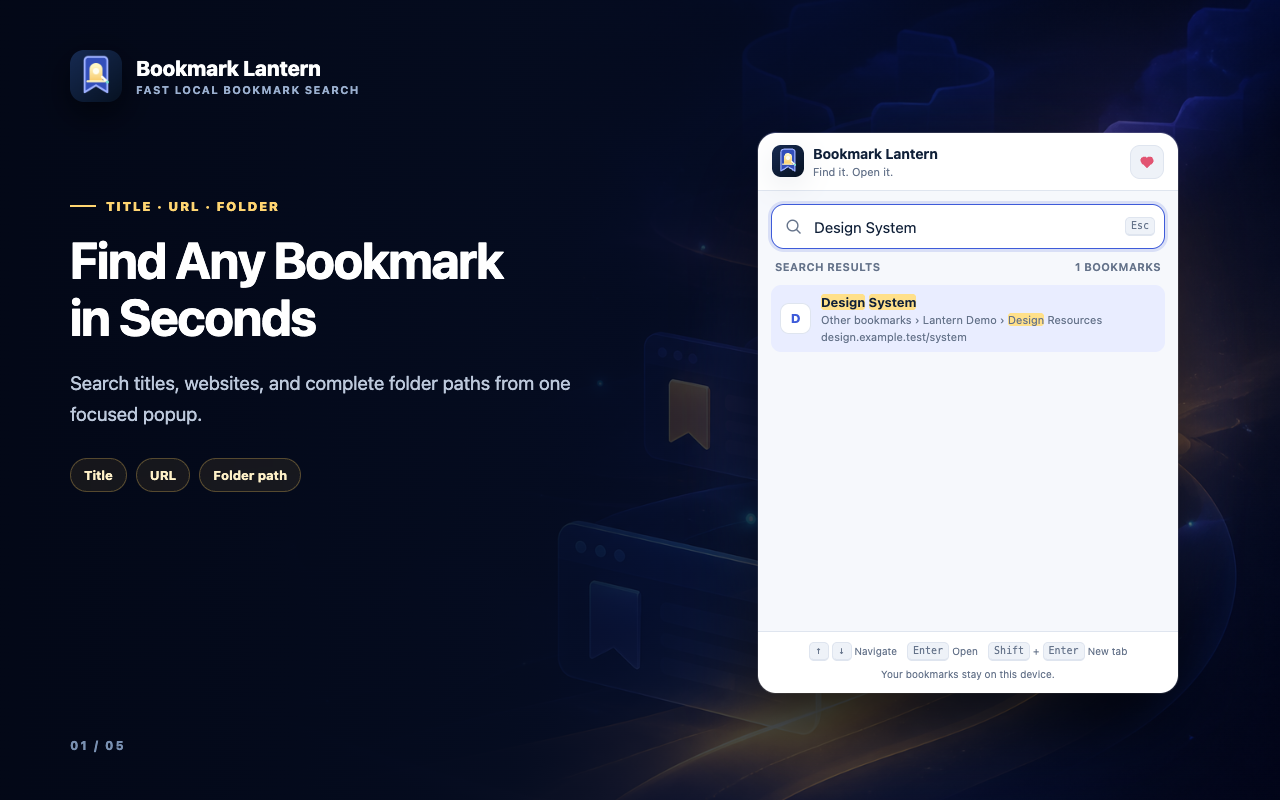
Title + URL
Find a bookmark from its name or any memorable part of its website address.
Complete folder paths
Search a parent folder and see the nested path beside every matching result.
Keyboard-first
Move through results with the arrow keys and open the selected bookmark without reaching for the mouse.
FOLDER-AWARE
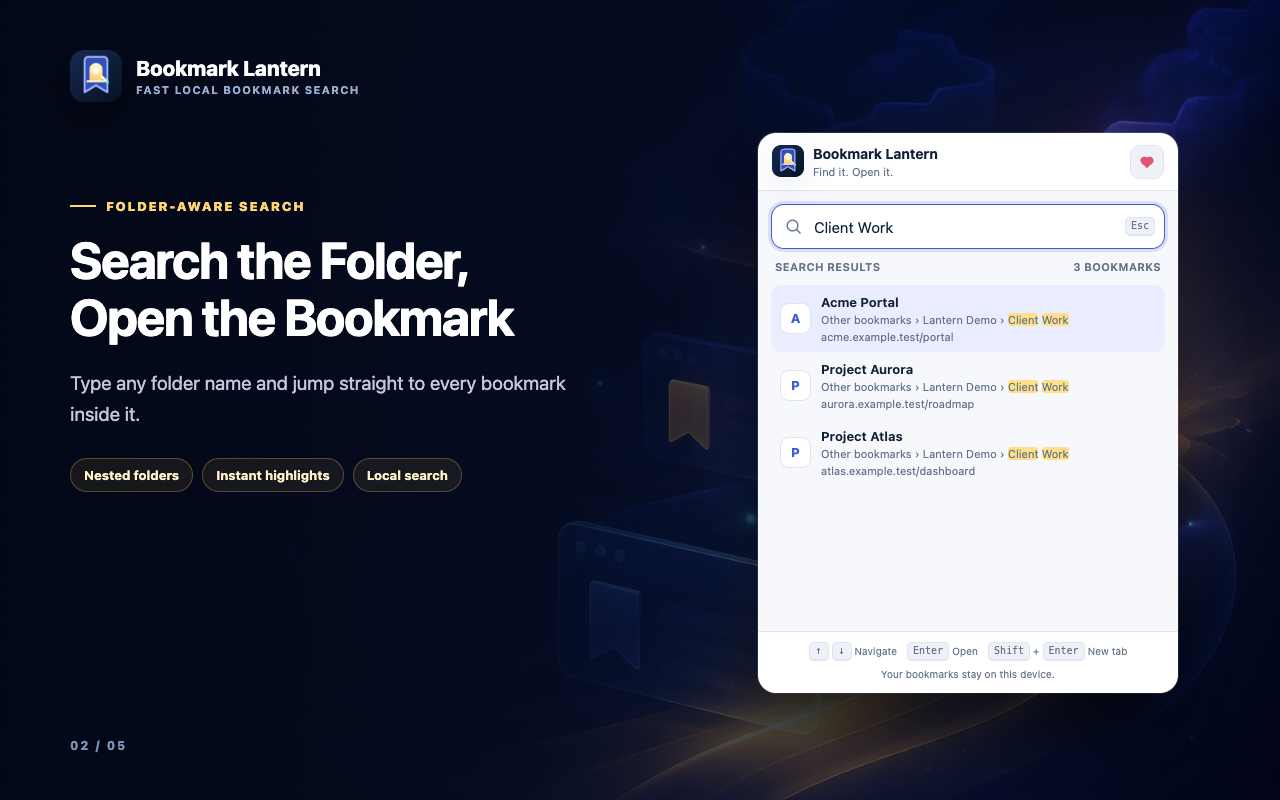
Search the folder name. Open the bookmark inside.
Bookmarks often live inside carefully named folders. Bookmark Lantern makes those folder names searchable instead of hiding them.
- Full nested paths are indexed with every bookmark.
- Matching words are highlighted in titles, addresses, and folders.
- Case and accent differences do not get in the way of a match.
- Up to 12 focused results keep the popup fast and readable.
KEYBOARD-FIRST
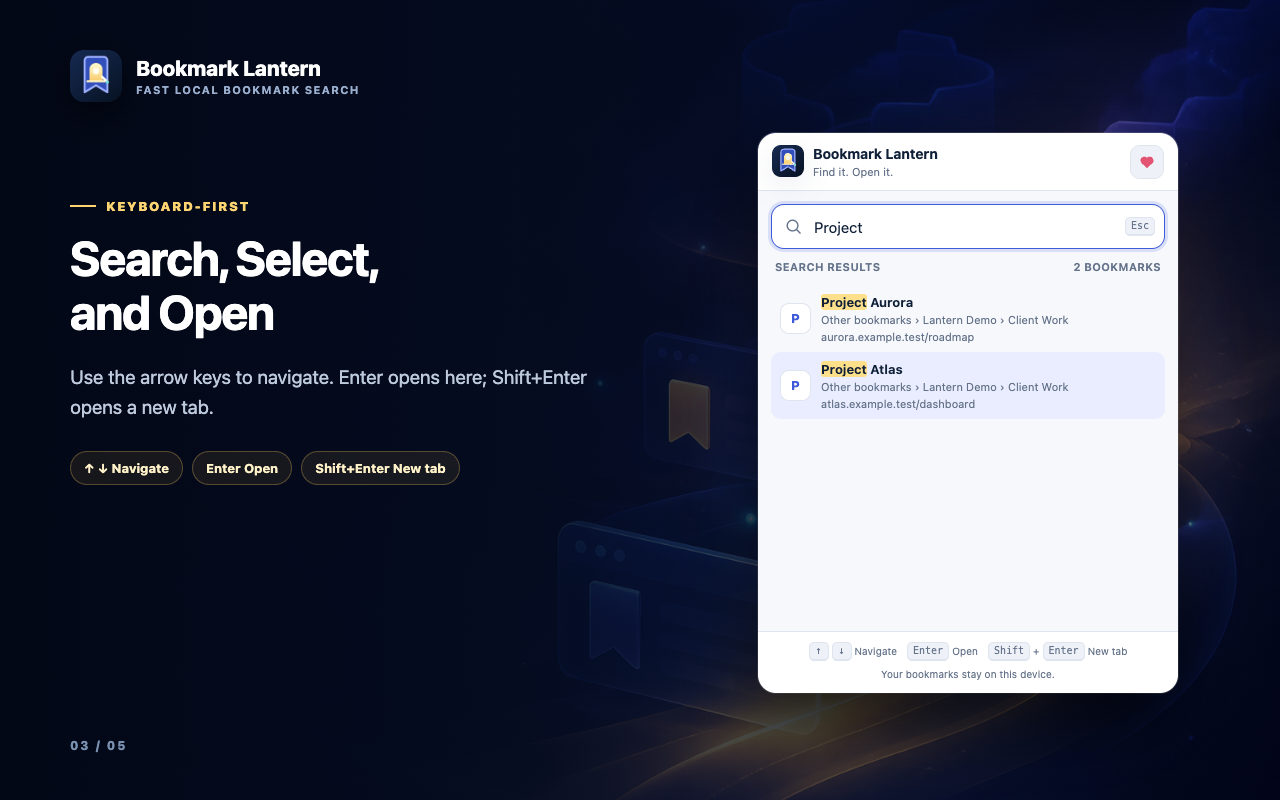
Move from a query to the page without leaving the keyboard.
Type a few letters, choose a result, and open it in the way that fits your workflow.
- Arrow Up / Down changes the selected result.
- Enter opens it in the current tab.
- Shift, Control, or Command + Enter opens it in a new tab.
- Click remains available whenever you prefer the mouse.
Useful before you type the first letter
Open Bookmark Lantern with an empty search box and your most recently added bookmarks are already waiting.
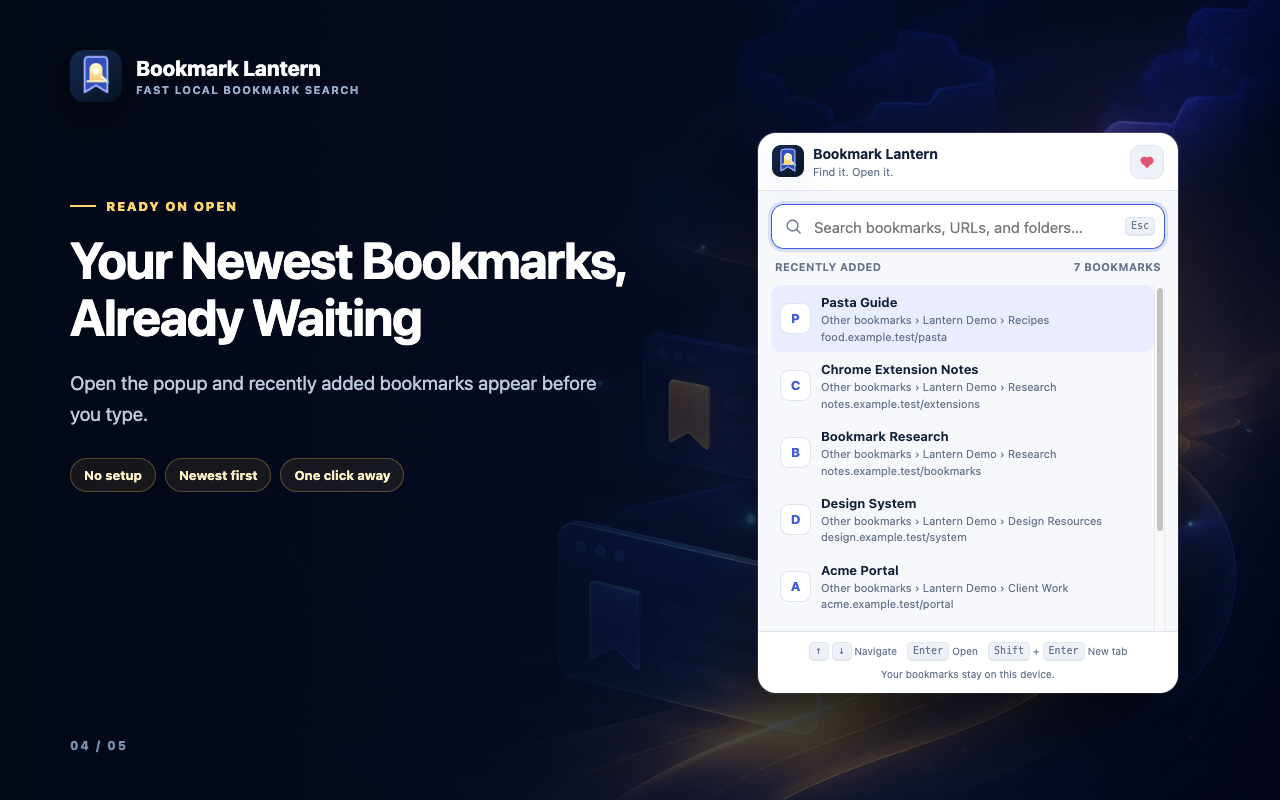
Recently added
Return to new references, tools, and reading without remembering where you filed them.
Fast local index
The bookmark tree is prepared in the popup, so searching stays quick without a remote service.
Live refresh
Add, rename, move, or remove a bookmark while the popup is open and the results refresh.
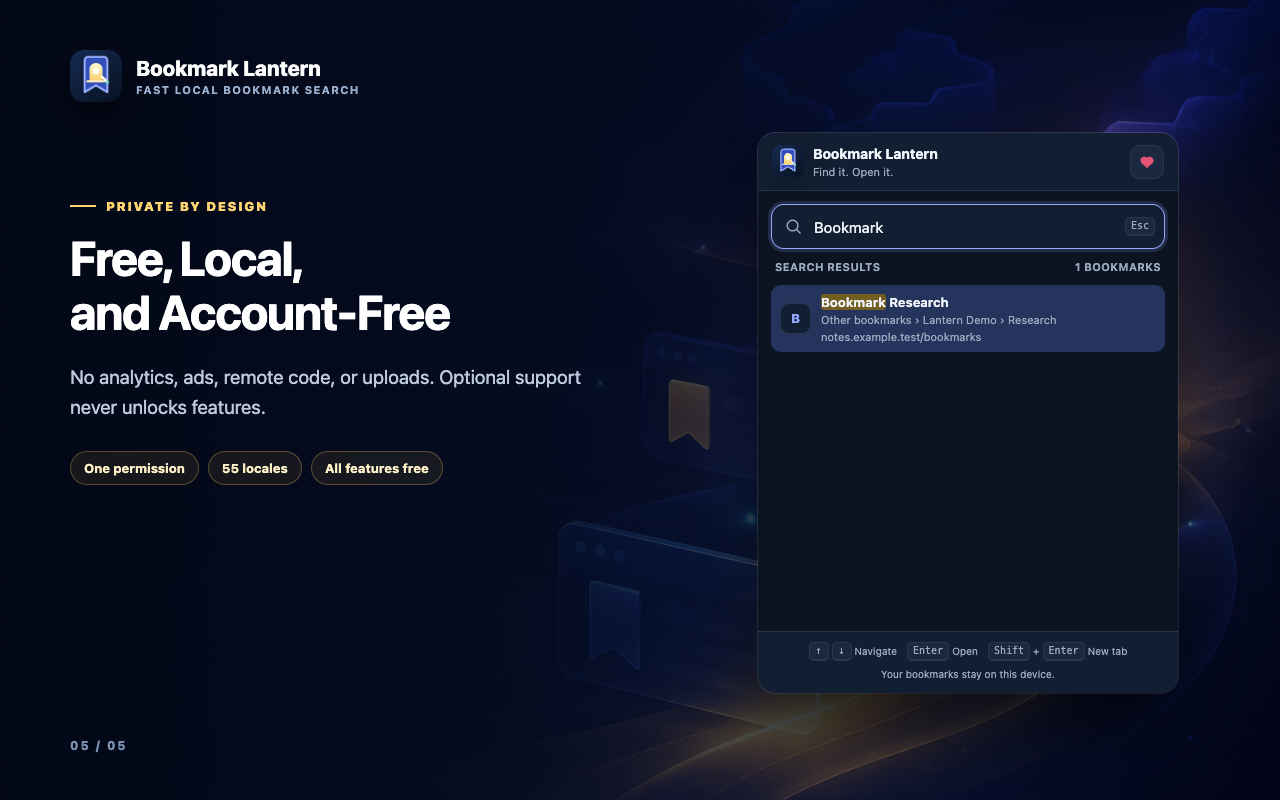
PRIVATE BY DESIGN
Your bookmark library stays in Chrome.
Bookmark Lantern works without an account or outside search server. Search text and bookmark details are processed inside the extension popup.
- One permission: bookmarks.
- No host permissions and no webpage content access.
- No analytics, ads, uploads, accounts, or remote code.
- 55 localized interfaces with the same local-only behavior.
Free to use. Optional to support.
Bookmark Lantern does not sell access to features. Optional support helps NIUBIAPP continue improving independent browser tools.
ALL FEATURES
Free forever
$0
No account, trial limit, subscription, advertising, or paid unlock. Title, URL, folder-path search, keyboard navigation, recent bookmarks, and all localized interfaces are included.
OPTIONAL
Support development
Pay what you want from $3
Buy a one-time NiubiApp supporter thank-you card through Creem. Supporting does not unlock features or change how Bookmark Lantern works.
BOOKMARK LANTERN
Privacy details
Last updated: August 17, 2026
Bookmark information
When you open the popup, Bookmark Lantern reads bookmark titles, website addresses, folder structure, and date-added information so it can build search results and the recent-bookmarks view. This information is processed locally inside Chrome and is not uploaded to NIUBIAPP.
Search queries
The text you enter is matched locally against the bookmark index. Queries are not transmitted, sold, or used for advertising or analytics.
Extension storage
Bookmark Lantern does not request Chrome storage permission and does not create an account, cloud library, or remote profile. The bookmark index exists only while the popup is open.
Permission
- bookmarks reads the Chrome bookmark tree, listens for bookmark changes while the popup is open, and opens the bookmark you choose.
Optional Creem support
The supporter link opens a Creem-hosted NiubiApp product page only after you click it. Creem handles checkout information under its own terms and privacy practices. Bookmark Lantern does not receive payment details, and supporting does not unlock functionality.
Contact
For privacy or product support, email [email protected]. See the broader NIUBIAPP Privacy Policy for additional information.
Find any bookmark before it slows you down.
Contact NIUBIAPP for release availability, product questions, or support.