Volume Pilot – Tab Volume Booster & Audio Controls
Volume Pilot is free on the Chrome Web Store.
Install the official NIUBIAPP extension directly from Google. Every feature is included.
FREE LOCAL TAB-AUDIO CONTROL
Give every browser tab the volume that works for you.
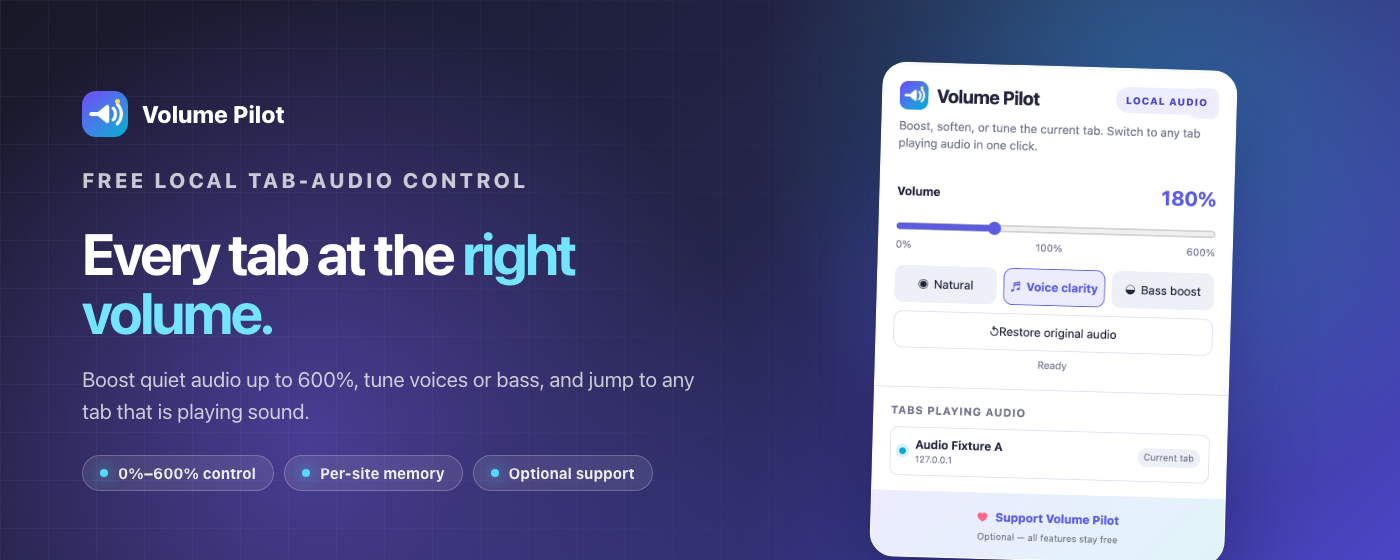
Volume Pilot controls the current tab from 0% to 600%, tunes speech or bass, remembers each website, and switches to any tab playing audio in one click.
Every feature is free. No account, ads, analytics, remote code, or paid unlock. Optional support is available through Creem.
More control than the tab’s ordinary volume button
Make quiet audio clearer, reduce an overly loud site, or jump straight to the tab that is making sound.
0%–600%
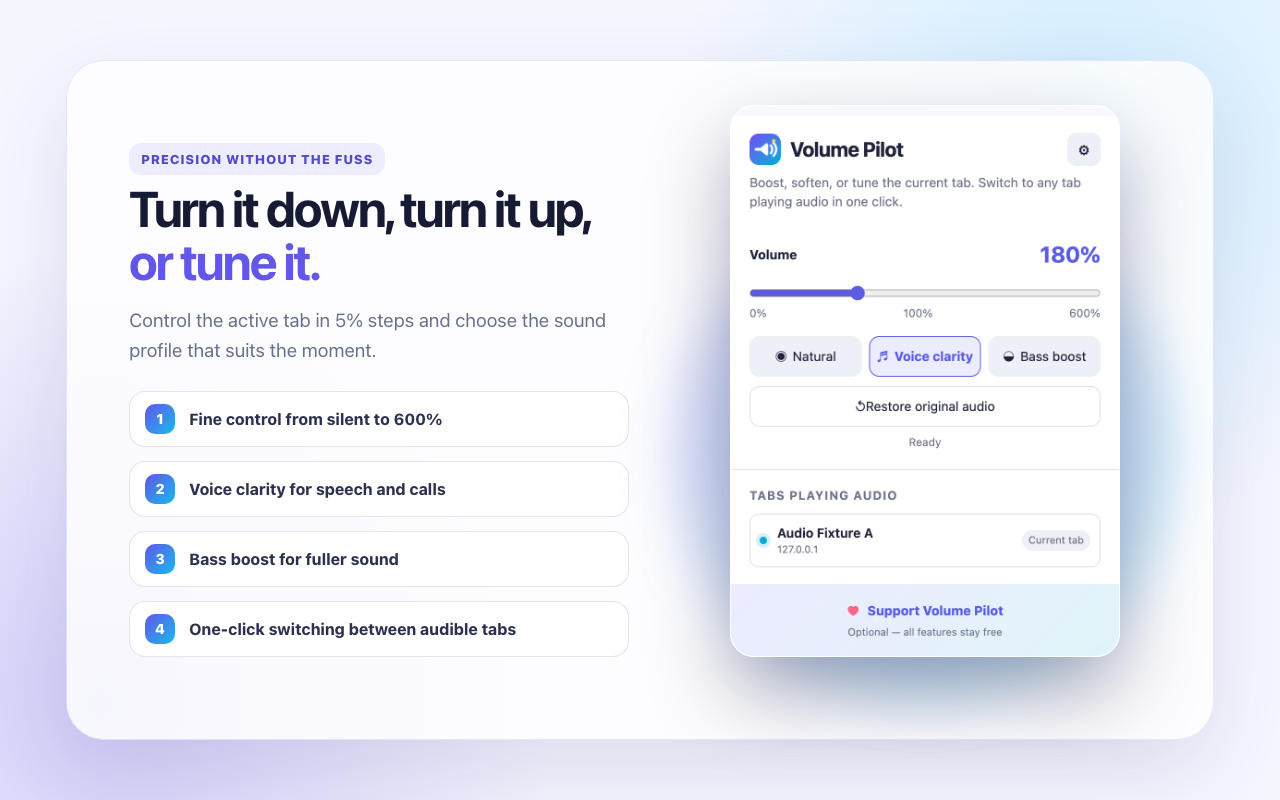
Adjust the current tab in precise 5% steps, from silent to six times the standard level.
Tune the sound
Choose Natural, Voice clarity, or Bass boost without leaving the page you are using.
Find the sound
See tabs Chrome reports as playing audio and switch to any of them with one click.
SET IT ONCE
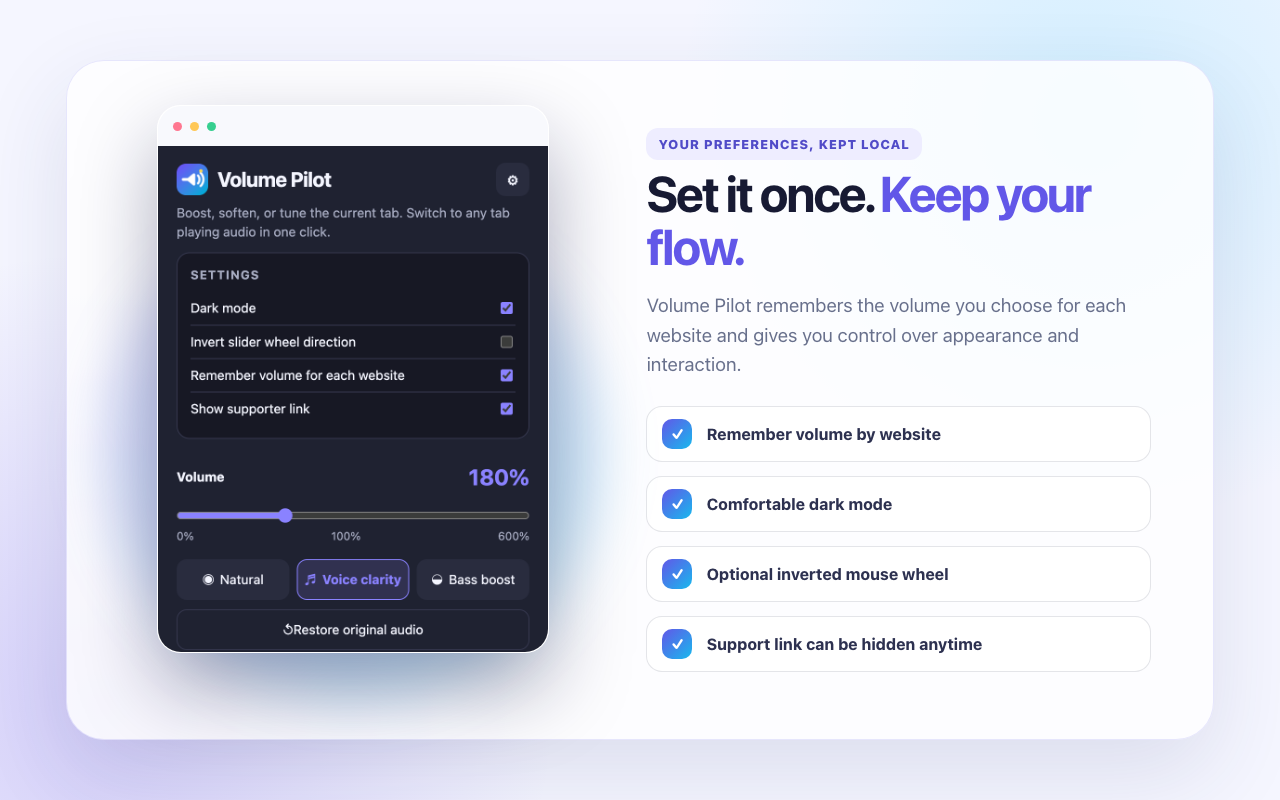
Remember each website without sending settings away
When website memory is enabled, Volume Pilot keeps the selected volume and sound mode for that website in local Chrome extension storage.
- Dark mode for a more comfortable popup.
- Wheel direction that matches how you prefer to adjust sliders.
- Per-site memory for volume and audio mode.
- Supporter-link visibility that you can hide at any time.
Local audio processing with a clear reset
Volume Pilot uses Chrome tab capture and the Web Audio API only after you choose a non-default volume or sound mode.
Audio stays local
The selected tab’s audio stream is processed in browser memory and played back on your device. It is not recorded or uploaded.
Restore means restore
“Restore original audio” stops tab capture, closes the audio-processing graph, returns the page to native audio, and clears the extension badge.
No broad website access
The extension does not inject scripts into webpages, include remote code, or request the <all_urls> permission.
Chrome note: while tab audio is being processed, Chrome shows its tab-capture indicator and native page fullscreen behavior may be limited. Use “Restore original audio” to release the tab immediately. Chrome internal pages and certain protected pages cannot be captured.
Free to use. Optional to support.
Volume Pilot does not sell access to features. Optional support helps NIUBIAPP continue improving independent browser tools.
ALL FEATURES
Free forever
$0
No account, trial limit, subscription, advertising, or paid unlock. Volume control, sound modes, website memory, tab switching, themes, and both interface languages are included.
OPTIONAL
Support development
Pay what you want from $3
Buy a one-time NiubiApp supporter thank-you card through Creem. Supporting does not unlock features or change how Volume Pilot works.
VOLUME PILOT
Privacy details
Last updated: August 17, 2026
Tab audio
When you apply a non-default volume or sound mode, Chrome provides the selected tab’s audio stream to Volume Pilot. The stream is processed in memory with the Web Audio API and played back locally. It is not recorded, uploaded, sold, or stored on a NIUBIAPP server.
Tab information
The extension reads the active tab and tabs Chrome reports as currently playing audio so it can show the one-click tab switcher. Browsing history and page content are not collected.
Local preferences
Dark mode, mouse-wheel direction, per-site volume and sound mode, and supporter-link visibility are stored in chrome.storage.local on your device.
Permissions
- tabCapture processes audio from the tab after you invoke Volume Pilot.
- offscreen keeps local Web Audio processing running after the popup closes.
- tabs identifies the active tab and lists tabs currently playing audio.
- storage saves local settings and optional per-site preferences.
Optional Creem support
The supporter button opens a Creem-hosted NiubiApp product page only after you click it. Creem handles checkout information under its own terms and privacy practices. Volume Pilot does not receive payment details, and supporting does not unlock functionality.
Contact
For privacy or product support, email [email protected]. See the broader NIUBIAPP Privacy Policy for additional information.
Control each tab at the volume that works for you.
Volume Pilot is free on the Chrome Web Store. Every feature is included—install it directly from Google, with optional support that never unlocks or changes features.