
CHROME EXTENSION FOR WHATSAPP WEB
Know their local time before you message.
ChatClock shows a contact’s estimated local time and work-hour status directly in your WhatsApp Web chat list, helping international conversations start at a better moment.
Independent software by NIUBIAPP. Not affiliated with, endorsed by, or sponsored by WhatsApp or Meta.
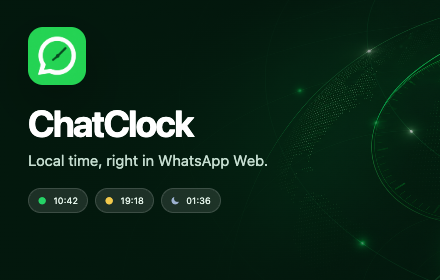
The right moment, visible at a glance
Spend less time calculating time zones and reduce the chance of messaging customers, partners, or colleagues at an inconvenient hour.
Automatic estimate
When a chat is displayed as an international phone number, ChatClock estimates a country and default time zone from its calling code.
Work-hour status
Green, yellow, and moon indicators show working hours, morning or evening, and night without opening a separate time-zone tool.
Manual overrides
Correct any estimate by assigning an IANA time zone to a contact. Overrides remain stored locally in Chrome.
How ChatClock works
01
Open WhatsApp Web
ChatClock runs only on web.whatsapp.com and watches the visible chat list for supported contact labels.
02
See local time
The estimated local time and status appear directly beside the contact, with daylight-saving time handled automatically.
03
Adjust when needed
Use the toolbar popup to select a time zone, switch between 12-hour and 24-hour formats, or remove an override.
Designed for international conversations
Useful for customer-facing teams
ChatClock is built for sales teams, support staff, exporters, founders, and anyone who regularly messages customers or partners across time zones.
The extension keeps the time cue where the conversation already happens instead of adding another dashboard or workflow.
An estimate you can control
A calling code indicates where a number is registered; it does not reveal a contact’s current physical location. Countries with multiple time zones use a default estimate until you choose a manual override.
Contact overrides can be exported, imported, or cleared from ChatClock settings.
CHATCLOCK
Privacy details
Last updated: July 27, 2026
Purpose and WhatsApp Web data
ChatClock has one purpose: display an estimated local time and work-hour status for contacts in WhatsApp Web. It reads only the visible chat-list labels and visible current-chat name required for this feature. Phone-number parsing and time-zone estimation happen locally.
ChatClock does not collect or transmit message text, images, files, WhatsApp credentials, cookies, or browsing history.
Local extension data
Contact names, phone numbers, time-zone overrides, display preferences, cached trial state, an installation identifier, and activated license state may be stored in Chrome extension storage. Contact overrides can be exported or deleted from the settings page.
Billing and licensing
Checkout and license management use the billing service at billing.niubiapp.shop. The selected plan, installation identifier, license key, license-instance identifier, product identifier, and license status may be processed to start and verify the 24-hour trial, create checkout sessions, and activate, validate, or release access.
Payments, taxes, invoices, and subscription billing are handled by Creem as the merchant of record. Payment-card details are handled by Creem and are never received or stored by ChatClock.
Data sharing, retention, and contact
Contact names, phone numbers, message content, and time-zone overrides are not sent to the billing service. ChatClock does not sell personal information, use it for advertising, or include analytics SDKs. Removing the extension removes Chrome-managed local data, subject to Chrome’s storage behavior. Releasing a license removes its local key and device activation.
For privacy or support requests, email [email protected]. See the broader NIUBIAPP Privacy Policy for additional information.
Choose your plan
Try every feature for 24 hours, then choose monthly or lifetime access.
TRY IT
Full-feature trial
24 hours
Explore automatic detection, status indicators, display settings, and contact overrides.
FLEXIBLE
Monthly
$3.00
USD per month. Subscribe and manage access inside ChatClock.
BEST VALUE
Lifetime access
$9.99
One-time payment. Activate the license in ChatClock and keep access.
Choose and purchase a paid plan inside ChatClock. Creem handles checkout as the merchant of record. See the Refund Policy for eligibility and terms.
Ready to make international messaging more considerate?
Contact NIUBIAPP for ChatClock availability, product questions, billing, or support.