One focused action
Start from the extension popup and manage the clearing session from one compact interface.
Chrome extension for X/Twitter
Twitter Bookmark Remover opens your X bookmarks page, waits for it to load, and starts clearing visible bookmarks automatically—turning repetitive manual cleanup into one focused workflow.

Independent software by NIUBIAPP. Not affiliated with, endorsed by, or sponsored by X Corp.
A faster way to reset your saved-post list
Use a compact browser extension instead of opening every saved post and removing its bookmark manually.
Start from the extension popup and manage the clearing session from one compact interface.
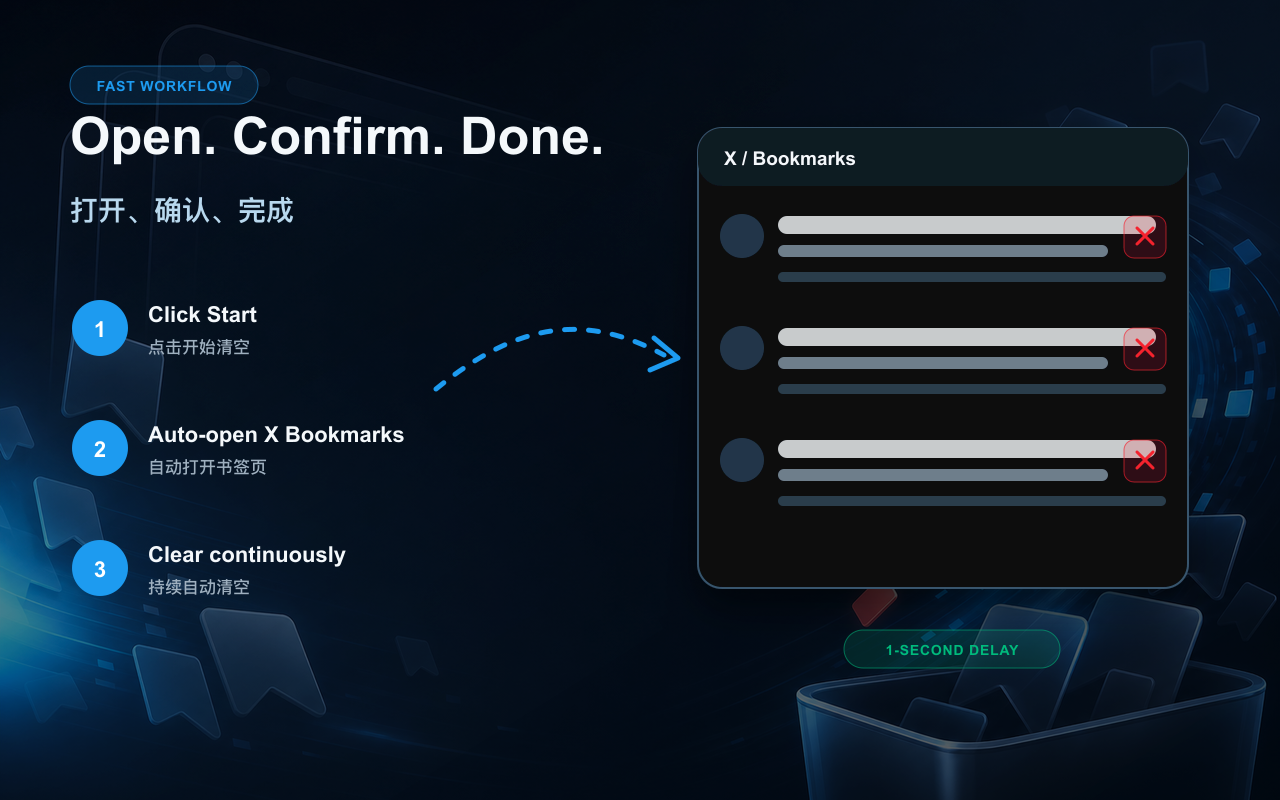
After confirmation, the extension opens x.com/i/bookmarks and begins one second after the page finishes loading.
Bookmark content is processed in your browser and is not sent to NIUBIAPP’s billing service or to Creem.
How it works
The page stays visible while the extension processes available bookmark controls and reports progress.
Open the extension and choose Start Clearing from the popup.
A bilingual notice explains that X Bookmarks will open and clearing will begin automatically.
The extension waits one second after the bookmarks page loads, then begins removing visible saved posts.
Keep the X bookmarks page open while the extension works and reports completion.
Before you start
Removing a bookmark is an account action, not a visual filter. Review saved posts you intend to keep before starting a large cleanup.
Privacy details
Twitter Bookmark Remover processes the X bookmark controls visible in your browser. It does not send bookmark content to NIUBIAPP’s billing service or to Creem.
Pricing overview
Prices are shown for comparison only. Plans are managed inside Twitter Bookmark Remover; this showcase page does not contain a purchase link.
Remove up to 100 bookmarks before upgrading.
USD per month for unlimited bookmark removal.
One-time payment for unlimited bookmark removal.
Bookmark Remover support
Include the extension version, browser version, current X page state, and a screenshot without private saved content.